Starting an online store, the dream of many entrepreneurs
The year is 2026, your business needs website. This can be a presentation website with your products and services or it can be a complete online store where customers can buy and pay online.
How extensive it should all be depends mainly on your time and how much turnover you expect from online sales. On this page we elaborate on what is involved to start an online store. It is a starters guide to get you started in the world of e-commerce.

The benefits of having your own online store
Having your own online store offers many advantages. Perhaps the most important advantage is that your company will be found in Google, Bing etc.
- Your own spot on the web (independent of the whims of Amazon or Ebay)
- Your business is found online by potential customers
- Professional appearance
- Always open; you don't have to get out of bed to make a sale
How much does it cost to start an online store?
There is a large online selection of e-commerce software and platforms available. Each with their advantages and disadvantages. Some cheap, others don't even dare to mention their price on their website and hide behind "ask for a quote".

A custom made online store can be interesting if the online store needs to meet very specific needs and if there is a large budget available. Don't expect that having an online store built for you will save you a lot of time: you will still have to coordinate and provide texts and product photos yourself.
Ask several quotations and ask critical questions. See if the web agency is genuinely interested and thinking along with your business. Check their references.
Create your own online store
Of course, you can get started yourself with technical platforms like Magento or WordPress. But many entrepreneurs don't have the time to figure everything out. I'm surprised you even found the time to read all the way to here, thanks for that!
Another option then: the online store platforms. The advantage is that they take the difficult work out of your hands and provide a user-friendly software to manage your shop. You pay a monthly price to use the application.
Some platforms charge a sales or transaction fee. That's an extra percentage cost per order in your online store. You could say it's a tax on your sales. Make a calculation in advance of what the cost will be in the future. In the beginning it may be interesting, but it quickly becomes an expensive joke once you start making more sales.

Drawbacks? Many of these platforms provide websites that look good but are low quality on a technical level. A website should load fast, be user-friendly and mobile-friendly, as well as easy to find in search engines. The latter is not the case with many providers. And just because it says search engine friendly on the box doesn't mean it is.
Choosing a good domain name
An important step. A domain name must:
- Be easy to type
- Be as short as possible
- Preferably contain only letters
- Sound good and be easy to remember
Finding a good domain name can be a challenge. Many domain names are already taken by domain name hijackers. They register thousands of domain names hoping to sell some of them at extortionate prices. Of course with the excuse: I kept this domain name available especially for you. How kind of them! The domain name registries cheerfully participate in this. After all, they earn a pretty penny from the annual fees for all those domain names taken. That no quality websites are hosted on the domain names is of no concern to them.
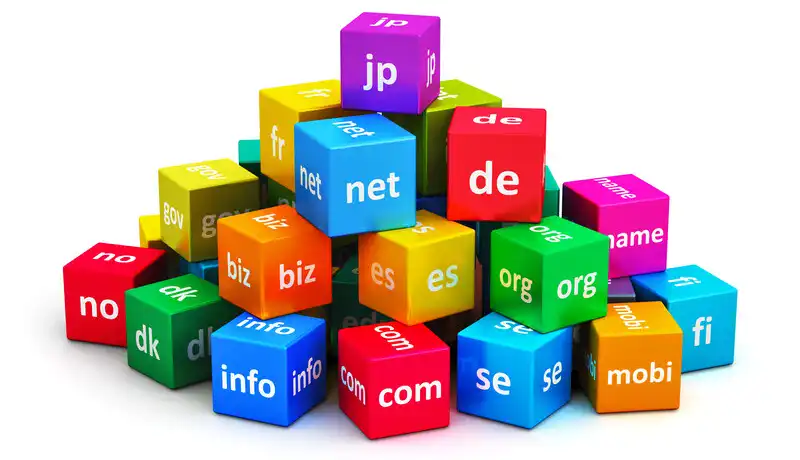
Tip: brainstorm your domain name and make a list of potential good names. Once you have found a good domain name that is still available, register it immediately. Some websites save the tried domain names and register them themselves. The Internet is full of hijackers!
Do you sell in one country specifically? Then a country extension (.au, .co.uk) is a better choice for search engine optimization and to customers.
How about receiving payments?
Welcome to the world of online payments. It's a jungle of rules, restrictions and hidden fees. Fortunately, with the right parties, you can get out of it unscathed. You can roughly divide payment methods into four groups:
- Local payment methods (Bank transfer, Bancontact, iDeal, Sofort)
- Credit cards (Mastercard, Visa)
- Online wallets (PayPal)
- Bitcoin

We recommend offering local payment methods through a payment provider, such as Mollie. Payments by bank transfer are best made directly to your IBAN account. It can also be done through a payment provider, but they will charge a commission for processing the payment. And it's an extra intermediate step.
Of the online wallets, PayPal is the best known, but with a questionable reputation. It provides an additional payment method but also many risks. For example, the risk of fraud is quite high (consumers can withdraw payment, even if everything went well) and PayPal has a bad habit of blocking accounts at random. If you activate this payment method, we recommend regularly transferring the balance from the PayPal account to your bank account.
In recent years, payments with Bitcoin and Lightning have been gaining momentum. With these, the payment goes directly from the buyer to the seller. The advantage is that there is no longer a payment provider involved as an intermediary. So your money cannot be frozen, skimmed or stuck in limbo. And there are no declined transactions.
Legal requirements for an online store
And now for the boring part. Fortunately, you can easily get rid of this. What you need are general terms and conditions and a privacy policy. You can find free templates of general terms and conditions for both.

A cookie notification is not necessary in most situations. By default, only Functional cookies are set. If you place Marketing cookies, then a cookie notification is mandatory. Which, by the way, can be placed in a few clicks. But you weren't planning on looking over your visitors' shoulders, were you?
Optimize your online store for search engines
Optimizing an online store for SEO (Search Engine Optimization) is primarily a process of providing good content. On a technical level, websites are optimized for good indexing. But, of course, there has to be something interesting to find on the website before search engines will list it.
- Make sure you have appropriate titles with keywords in them
- Write meaningful META descriptions
- Try to get inbound links
- Avoid copying texts and spamming

Specifically, websites with useful information rank better. With an online store, you can make good use of this by adding extensive product descriptions and a blog with regularly updated information. The e-shop software allows you to enter everything in a user-friendly way.
Multilingual online store for an international audience
If you are creating an online store or website anyway, why not add multiple languages? You'll obviously appeal to a much larger audience. Making an online store multilingual is not that difficult, but it takes a bit more work to translate everything.

Starting an online store for free
Can you still start a free online store in these times? In the end, free doesn't exist: someone always has to pay for electricity, servers, maintenance and help desk support. No doubt there are still platforms that allow it in exchange for a ghoulish website overloaded with ads.
We ourselves offered free online stores on our platform for 10 years. That was a very popular formula, but the quality of many online stores left much to be desired. Free online stores were unfortunately frequently used for fraud. We prefer to make a social contribution with quality online stores. This is also ethical towards the consumers (our customers' customers).
Hence the decision to offer only a time-limited free trial version. And advertising revenue and trackers? We don't do that at all! There are already enough annoying ads and invasions of our privacy. By taking them away, we are making a better Internet.
Conclusion
Are you thinking about starting an online store but startled by all that's involved? One mistake that is made a lot is wanting everything to be perfect from the start. The best thing to do is to just get started. You can do that even with a simple website. Everything can be expanded, improved and fine-tuned afterwards.
When is the best time to start an online store? Always and never. Waiting for a good time is pointless. We ourselves started in the middle of the financial crisis of 2008, and we survived!
- Introduction
- Product management
- Online store configuration
- Account and shop settings
- Payment methods and Payment Service Providers
- Invoices and Terms & Conditions
- Setting shipping costs
- Discounts and surcharges
- Registering and transferring domain names
- Multilingual shop
- Connecting to external platforms
- Personalized web addresses
- Managing multiple webshops (Multishop)
- Automatic emails to customers
- Designing a beautiful layout
- Order management
- Marketing
- Modules
- Backups and exporting data
- Email and web mail
- Administrator accounts
- High quality photos
- Two-factor authentication
- Labels
- META tags - Website verification
- Live chat
- Slideshow
- Visitor analysis - Google Analytics
- Filters
- Point Of Sale (POS)
- Form fields
- Digital or virtual products
- Symcalia reservation system
- Guestbook
- Contacting the helpdesk